
Field book
Lift a Cube
Objective: start training, then lift the next cube you can actually move.
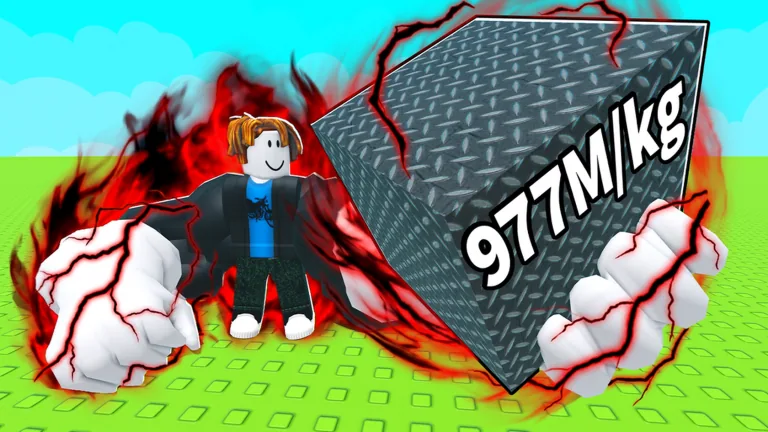
Push-ups
Do push-ups to build strength. Each rep adds strength. Click multiplier bubbles when they appear so a single push-up can jump higher than the default one-point gain.
Train button or number key 1
Train checklist
Open Train, claim the new strength, read your Max Lift, then leave the pad and walk toward cubes. Number key 1 on this page focuses the Train link; it does not press the in-game button.
1
The lift minigame
Stand at a cube and tap Left Mouse Button rapidly so the icon travels right. If your strength is below the recommended label, the lift fails and you return to push-ups.
rapid Left Mouse Button
Cubes, weights, and the end
Heavier cubes pay more Cash. Travel further for heavier cubes. Sportskeeda reports the last cube requires 1.3 billion strength, and that the heaviest cube can be lifted without premium purchases.
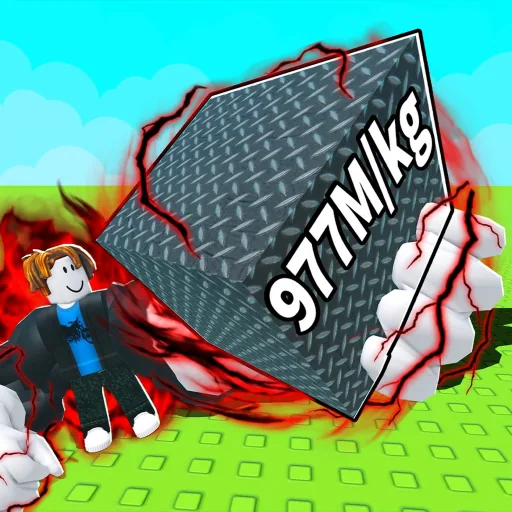
Lift a Cube is a Roblox incremental lift published by Freaky Strong!, the group owned by Keeenchi (display name Kenczi). You do push-ups to gain strength, buy better arms, roll rare arm materials from chests, travel further for heavier cubes, and reach the end of the map. Public servers hold 10 players. VIP servers are not allowed. Roblox lists the experience as Simulation / Incremental Simulator with Maturity Minimal, suitable for everyone. The English storefront name is Lift a Cube. The experience was created on 24 August 2026 and the live universe updated on 15 September 2026.
Start with the Train button at the bottom of the screen, or press number key 1, then walk to a cube whose recommended strength you already meet. Heavier cubes pay more Cash. Cash buys arms, chest rolls, and map speed pads. This field book turns that loop into a route: train, lift, spend, travel, repeat until the last gate.
Do push-ups
Use the Train button or number key 1 until strength moves.
Open the Train menu
Confirm you are on the bottom-screen Train control, not a random tool.
Claim strength
Take the gain so Max Lift can update before you walk away.
Check the new Max Lift
Compare it to the cube label you plan to try next.
Head to the lift area
Walk with standard Roblox movement: WASD, Space to jump, E to interact.
Attempt the next cube
Rapid-click the bar only if your strength already meets the printed recommendation.
Clear the next area
Spend Cash on the next pad or chest after a successful lift, then keep moving.
Official GamePreviewVideo
Freaky Strong! uploaded a Roblox GamePreviewVideo asset for this universe. The file is gated on Roblox asset delivery, so this site links the store asset page instead of embedding a YouTube player.
Who publishes Lift a Cube
- Publisher
- Freaky Strong!, owned by Keeenchi (Kenczi)
- Universe id
- 10759860151
- Place id
- 109530157755211
- Group id
- 980319952
- Servers
- 10 public players; VIP servers not allowed
- Listing
- Simulation / Incremental Simulator, Maturity Minimal
- French storefronts use Soulever un cube, Spanish uses Levanta un cubo, and Polish uses Podnieś kostkę. Ukrainian storefronts keep Lift a Cube.
- No bound creator YouTube, Instagram, X, or Discord URL sits on the group or game page. Follow the Roblox listing and the BIG UPDATE event for schedule news.
Use the ids above when a search result mixes this listing with Lift Everything, a different Freaky Strong! place, or with older rehab software that shares a similar English phrase.
The train, lift, and roll loop
Train
The Train control sits at the bottom of the screen and is mapped to number key 1. Push-ups add strength. Sportskeeda describes a default of one strength per rep, with multiplier bubbles that can raise a single push-up when you click them in time.
Lift
Walk to a cube and tap Left Mouse Button until the icon reaches the right. Strength must meet the printed recommendation or the lift fails. Cash scales with cube weight, so a heavy success funds the next buy faster than repeating a light cube you already outgrow.
Spend and travel
Buy better arms so push-ups finish faster. Roll the Arm Materials Chest so materials multiply later strength gains. Buy the movement or training speed pad in the current map section, then walk further.
The map is a line of heavier cubes, not a loot lobby, and there is no Rebirth to reset a skipped tier.
Open the next chapter
- Train: control sequence, bubble clicks, and the lift bar.
- Cubes: Wood, Stone, Cooper, and Ice labels plus later names such as Genesis Cube.
- Arms, Arm Materials, and Upgrades: the observed $30 first arms pad, the chest roll, and permanent speed pads.
- Update 1: BIG UPDATE hosted by Freaky Strong! from 19 to 26 September 2026.
- FAQ: free-to-play, Discord, badges, and the Lift Everything mix-up.
- Codes: the store and game-pass API publish no redeem list.
Open the chapter that matches the next action: train if strength is short, compare cubes if you need the next gate, or spend Cash if push-ups already feel slow.
- Train often and claim your strength before you leave the pad.
- Focus on the next cube whose recommended strength you already beat.
- Upgrades and arm materials change how fast that next cube arrives.
- Movement uses WASD, Space, and E. Training is number key 1. Lifting is rapid Left Mouse Button.